
swagger는 api를 문서화 시켜주는 것이다.
전에 졸업작품 프로젝트를 진행할 때에는 액셀 스프레드시트를 이용하여 api를 직접 문서화 했다. 그리고 이를 통해 프론트와 소통했다. 이는 개발자가 일일히 작성해줘야 하기 때문에 굉장히 귀찮고, 실수가 많았다. 그런데 이 swagger는 이를 자동으로 해주는 툴이다.
1. dependency 설정
maven repository에 접속하여 springfox를 검색한다.
그 다음 springfox boot starter에 들어가야 한다.
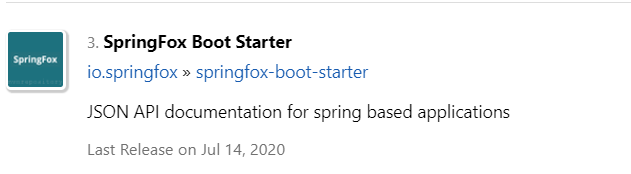
여기서 gradle dependency를 가져와서 다시 빌드한다.
// https://mvnrepository.com/artifact/io.springfox/springfox-boot-starter
implementation group: 'io.springfox', name: 'springfox-boot-starter', version: '3.0.0'
그런데 이것만 추가하면 nullpointException이 발생하면서 서버가 실행되지 않는다.
swagger가 버전 업데이트를 하면서 생긴 오류로 yml파일에 설정을 추가해줘야 한다.
spring:
  mvc:
    pathmatch:
      matching-strategy: ant_path_matcher
2. swagger 접속
서버를 실행하고, localhost:8080/swagger-ui/ 에 접속하면 작성한 controller들이 나와있다.
이 링크를 통해 내가 만든 api들을 내부, 외부 사용자들에게 제공할 수 있다.
이렇게만 제공해도 상관은 없다. 그런데 어노테이션을 사용하여 더 알아보기 쉽게 변경할 수 있다.
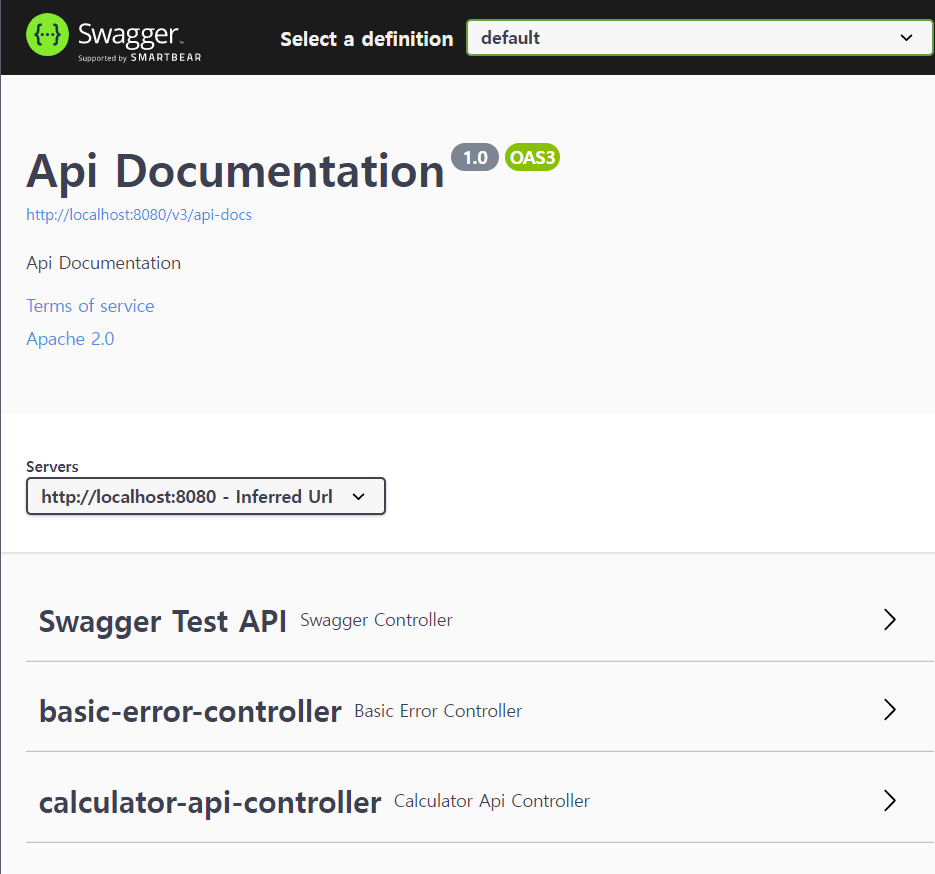
- @Api - controller에 대한 설명을 작성할 수 있다.
- @ApiParam - param에 대한 설명을 작성할 수 있다.
- @ApiImplicitParam - 파라미터가 많으면 param마다 설명 붙이는거 지저분할 수 있다. 이건 컨트롤러 위에서 배열로 여러가지 설명할 수 있게하는 것.
- @ApiModelProperty - 객체로 한번에 요청 받을 때 그 객체 내 필드 위에서 설명해주는 것.
- @ApiOperation - 컨트롤러 위에서 그 api에 대한 설명
- @ApiResponse - 원래 응답말고 다른 응답 내려갈때. (에러)
어노테이션 활용 코드
package com.example.practice01.controller;

import com.example.practice01.dto.User;
import io.swagger.annotations.*;
import org.springframework.web.bind.annotation.*;

@Api(tags = {"Swagger Test API"})
@RestController
@RequestMapping("/swagger")
public class SwaggerController {

//    @ApiImplicitParams({
//            @ApiImplicitParam(name = "x", value = "x값"),
//            @ApiImplicitParam(name="y", value = "y값")
//    })
    @GetMapping("/hello")
    public int hello(@ApiParam(value = "x좌표") @RequestParam int x,
                                @ApiParam(value = "y좌표") @PathVariable int y){
        return x+y;
    }

    @GetMapping("/user")
    public User getUser(User user){
        return new User(user.getUserId(), user.getName(), user.getEmail());
    }


    @ApiResponses({
            @ApiResponse(code = 404, message = "notfound"),
            @ApiResponse(code=502, message = "잘못된 입력입니다.")
    })
    @PostMapping("/user")
    public User postUser (User user){
        return new User(user.getUserId(), user.getName(), user.getEmail());
    }
}
public class User {
private int userId;
@ApiModelProperty(value = "사용자 이름", example = "steve")
private String name;
@ApiModelProperty(value = "사용자 이메일", example = "y@naver.com")
private String email;
@Builder
public User(int userId, String name, String email) {
this.userId = userId;
this.name = name;
this.email = email;
}
}'Spring' 카테고리의 다른 글
| [ Spring ] 트랜잭션 (0) | 2022.12.12 |
|---|---|
| [ Spring ] 의존성 주입 방법 (feat.lombok) (0) | 2022.11.23 |
| [ Spring ] restTemplate (0) | 2022.11.11 |
| [spring] 어노테이션 (Annotaions) (0) | 2022.11.04 |
| [ Spring ] Get/Post 와 ObjectMapper (0) | 2022.11.03 |